
Marking complete records
An important part of managing a database is checking to make sure that records have
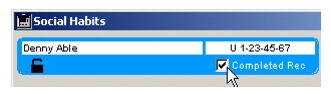
been completely filled-in. Otobase simplifies this process by allowing administrators to create data entry checklists that scan for completeness whenever users try to save a record. In cases where checklists are optional, administrators can set up saved searches to find all incomplete records. They can then use the built-in Internal Mail or e-mail to send reminders to people who should complete the records.
However, sometimes a record is as complete as it will ever be and the data manager will want to exclude it from a search for incomplete records. To mark a record as complete, the administrator can use the Completed checkbox on many of the forms in Otobase. Checking this option adds a "true" value to the Boolean field called Completed_Record in the respective table, allowing you to exclude these records from a search.
|
Otobase Otobase Web Site Voice: (206) 221-2430 Fax: (206) 221-5152 otobase@u.washington.edu |