
Entering papilloma history data
A subject can have multiple records tracking their papilloma examinations and treatments, but they have only one papilloma history record.
To create a new papilloma history record or view an existing record:
The Papilloma History form appears, with the current date automatically entered in the Study Registration Date field.
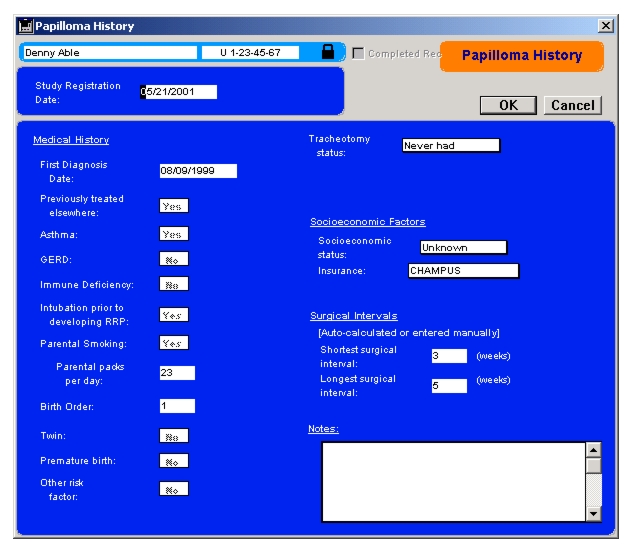
You enter much of the other data using pop-up lists. You can type information into the two surgical interval fields on the form, but they will also be calculated automatically as you enter papilloma exam and treatment records.
You can save the record by selecting OK. If the administrator has assigned a checklist to this record, you may be prompted for more information prior to saving the record.
|
Otobase Otobase Web Site Voice: (206) 221-2430 Fax: (206) 221-5152 otobase@u.washington.edu |