
Warning Message
The Warning Message item on the Preferences form allows the administrator to set a message that appears when any user logs into Otobase. This can be useful, for example, to comply with regulations to inform users that they are logging onto a confidential database program.
Otobase provides a default message that you can activate, or you can add your own custom message. The final item allows you to remove a message.
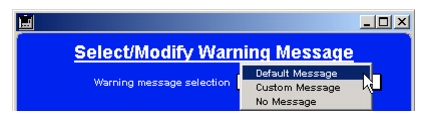
To set the default messageNote: You cannot edit or modify the default message.To set a custom messageTo remove a message
|
Otobase Otobase Web Site Voice: (206) 221-2430 Fax: (206) 221-5152 otobase@u.washington.edu |