
Setting provider access to Clinical Group subjects
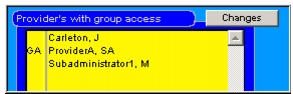
Clicking Changes opens a Create List dialog box. You can add or remove names by dragging-and-dropping or shift-clicking. If a provider is included in this list, he or she will have access to all subjects who belong to this Clinical Group. Remove names by dragging them to the trash on the form, or shift-clicking.
Note: A group administrator can remove any provider except for another group administrator.
|
Otobase Otobase Web Site Voice: (206) 221-2430 Fax: (206) 221-5152 otobase@u.washington.edu |