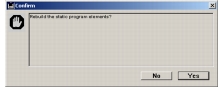
Rebuilding static program elements
To increase efficiency, structure information, such as the table and field lists on an Export form, is stored in records in the data file. If you suspect that these records have become corrupted or do not reflect changes you know have occurred (such as a new field that does not appear in the list), you can force Otobase to rebuild these records.
To force Otobase to rebuild a static program element record
Note: Using the Shift-Alt key combination (Windows) or Shift-Option (Mac) while clicking Connect will switch data files.
|
Otobase Otobase Web Site Voice: (206) 221-2430 Fax: (206) 221-5152 otobase@u.washington.edu |