
Imagegui features:
- Import .bif or .bif6 image files (Iontof)
- Import data from workspace
- Normalize image data
- Crop image
- Filter/process image (down bin x2, boxcar, wavelet (with Matlab wavelet toolbox), up sample x2)
- PCA
- MAF
- Plot image data
- Create and plot a ratio of peaks for every pixel in an image
- Plot PCA/MAF scores
- Plot PCA/MAF loadings
- RGB Image overlays
- Scalebar creation and image labeling
- Import imzML (requires MSiReader – Access the MSiReader here)
- Plot images using a micron scale
- Split positive and negative scores and loadings for easier interpretation
- New colormaps added for producing better contrast in scores plots
- Interface with MCR-ALS by Tauler and de Juan (Access the MCR-ALS software here)
- Image aligner
- Image dicer – to dice stage raster or other images into smaller images
- ROI extractor
- Pseudo spectra plotter – to plot spectra from imported image data
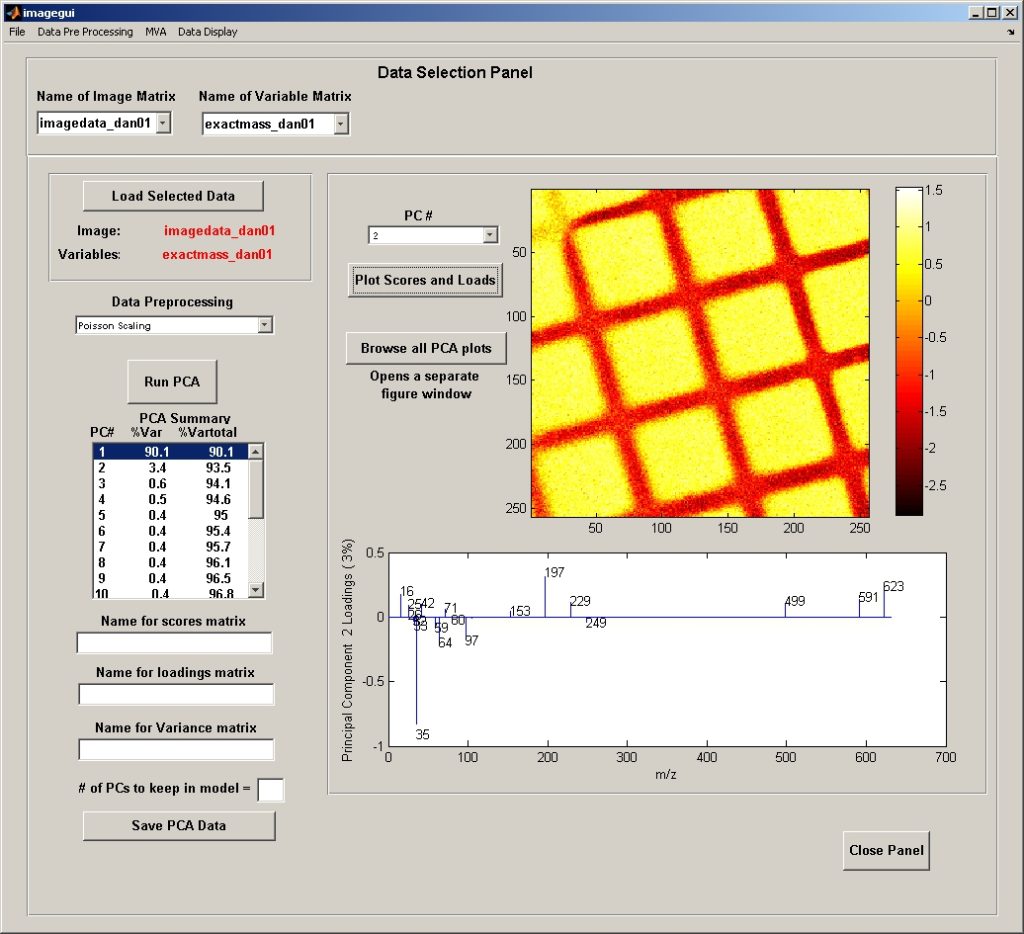
Click this link for tutorials on how to use the Imagegui
Click this link to access the form to request a copy of the NBToolbox