
Creating Personal Provider and Personal Clinical Group lists
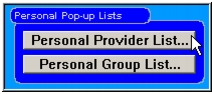
In multiple user systems, the entire list of providers or Clinical Groups can be quite large. When modifying subject providers or subject Clinical Groups on the Add Subject Records form, you select from a list (see Entering subject records). If you create a personal list, then it is presented in preference to the entire list, which is always available. This feature is optional and provided for your convenience. With the Provider Information form open, clicking the Personal Provider List or Personal Group list opens a Create List form. You can add names to the personal list by dragging them to the Personal List or shift-clicking on the names. Remove names by dragging them to the Trash on the Create List form, or by shift-clicking.
|
Otobase Otobase Web Site Voice: (206) 221-2430 Fax: (206) 221-5152 otobase@u.washington.edu |