
To save your work, click ‘Save fuelbed(s)’ to get links of fuelbed .xml files you can save for future use (see also FCCS fuelbed data dictionary, including XML file documentation).
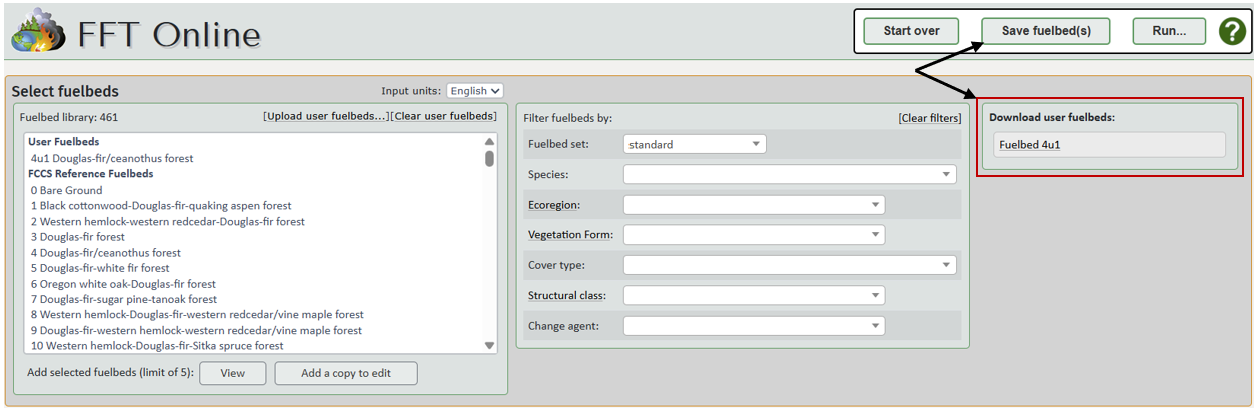
This figure shows the ‘Download user fuelbeds’ section that appears in the upper right with links to download selected/edited fuelbeds after clicking Save fuelbed(s) and after every run. Note that regardless of unit system selected in the editor, data are stored in English/imperial units, as required by the FCCS calculations.
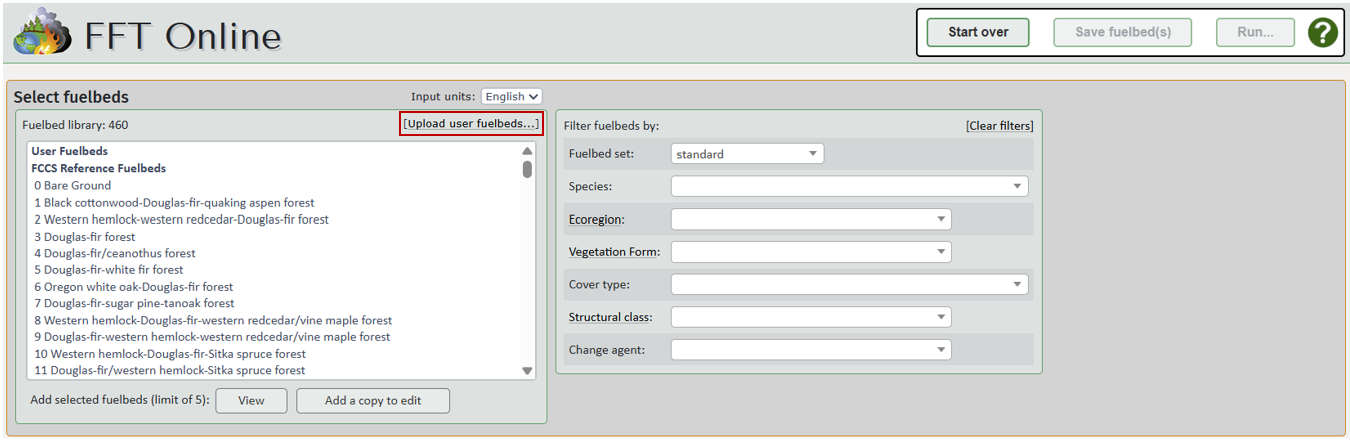
To add saved user .xml fuelbeds to the Fuelbed library, click the Upload user fuelbeds... link.
In the window that opens, click Choose files to browse your computer for fuelbed .xml files. Select one or more (using ctrl key) files and click Open to close the file browser.
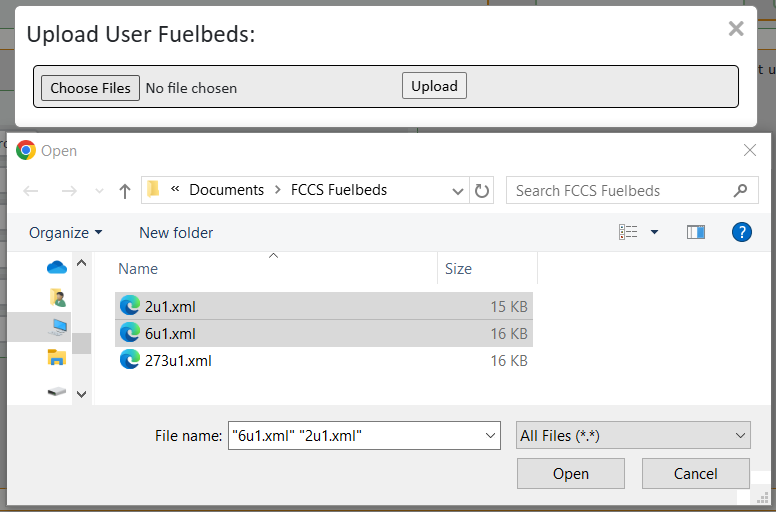
Finally, click the Upload button to close the dialog box and add the selected fuelbeds.

The Fuelbed Library will reflect the additions.
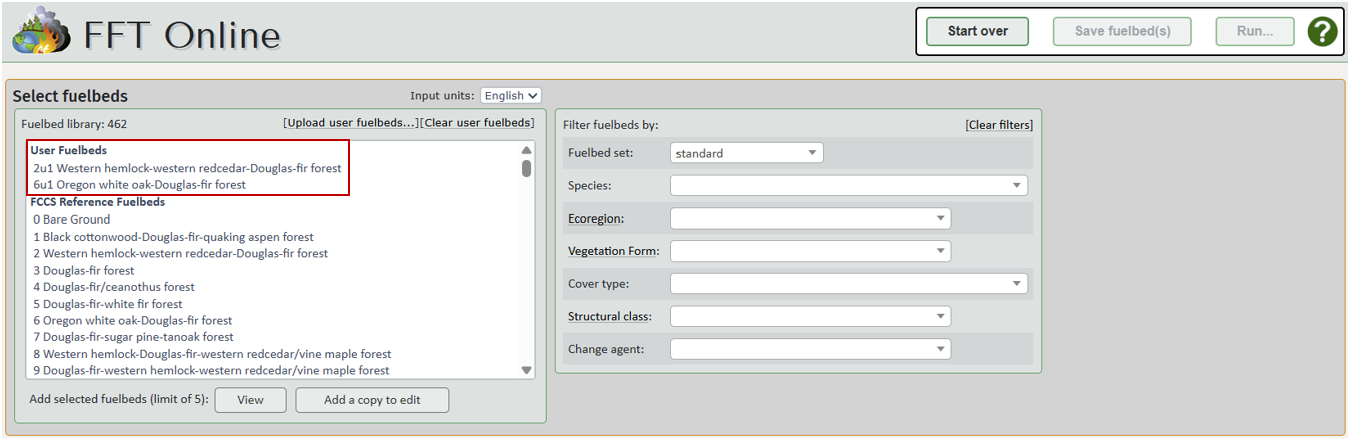
The validator will alert you to any issues to fix before you can run them in the calculator. User fuelbeds will be persisted within a session. You may need to reupload user fuelbeds between sessions so it's good practice to save your work at the end of every session.