
To predict fire outcomes, each tool requires a set of inputs to describe burn time conditions to inform its models. After clicking the Run button, the Environmental Variables (EV) form will appear prepopulated with a set of default values for user convenience. Update these values (or upload a presaved scenario -- see below) to reflect your EV scenario as needed. This form also has an optional section to define a burn unit for output totals for given area.
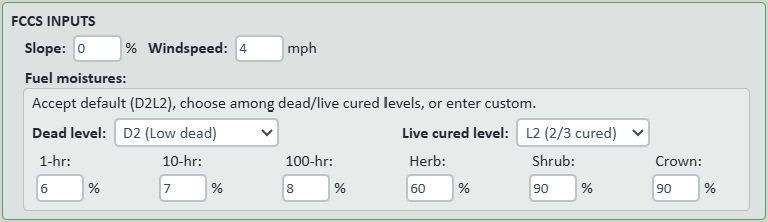
FCCS's default/benchmark slope gradient and midflame windspeed are 0% and 4 miles per hour, respectively. These values are used by the FCCS surface fire behavior calculator to predict surface fire metrics: reaction intensity, rate of spread, and flame length.
Fuel moisture determines if certain vegetation will burn, how quickly and completely it might burn, and what phases of combustion the fuels will support. Defined as the percentage of water compared to the fuel's oven-dry weight (mass of water/oven-dry mass of fuel x 100), moisture content can be greater than 100 percent because the water in a fuel particle can weigh more than the (dry) fuel itself. FCCS's default/benchmark scenario is the dry D2L2 moisture profile. You can use the drop-down boxes to populate the dead/live fuel moisture percents from driest (D1L1) to wettest (D4L4) or enter custom values for 1-, 10-, and 100-hr downed wood, and herb, shrub, and crown moisture percents.
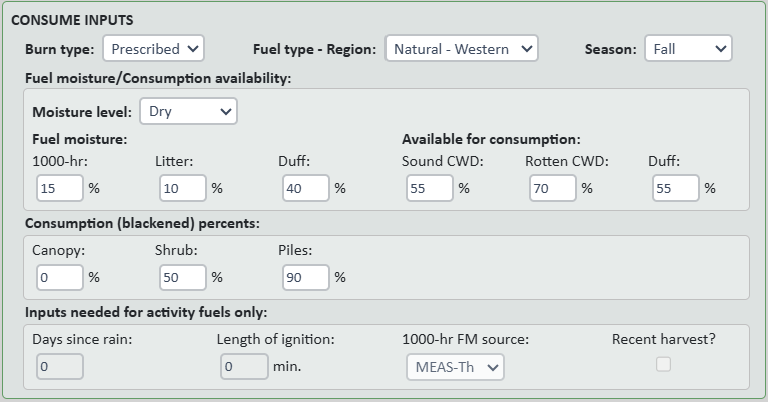
Select either Prescribed burn or Wildfire.
Select from Activity (i.e., byproduct of harvesting and cutting activities), Natural – Boreal, Natural – Southern, or Natural – Western.
Select from the four seasons.
As with the FCCS fuel moistures, you can opt to use provided presets by moisture level. Consume shares some inputs with FCCS but also needs 1000-hr downed wood, litter, and duff moisture percents. It also calls for percents of sound and rotten coarse woody debris (≥ 1000-hr) and duff that are available for consumption.
Specify the percent of canopy, shrub, and pile fuels assumed to be consumed in the fire. Defaults for prescribed burns are 50% for shrubs and 0% for canopy. Selecting wildfire will autofill those values to 100% and 50%, respectively. Default pile consumption is always 90%.
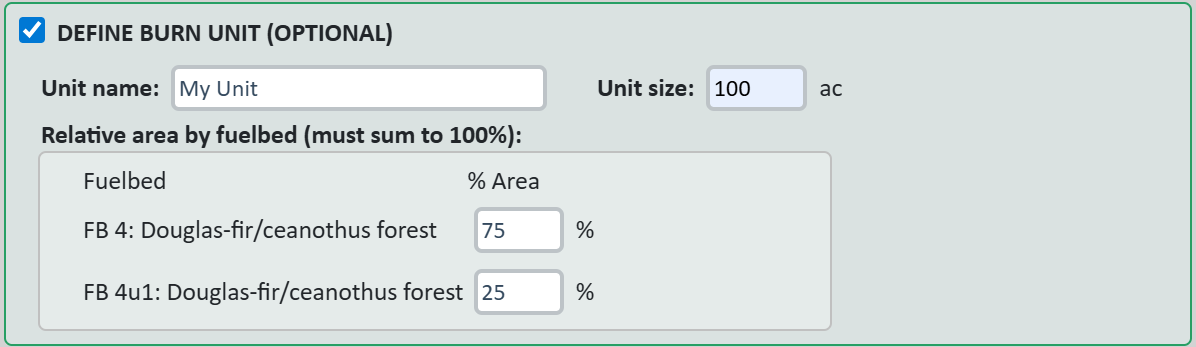
To get unit-level reports, click the checkbox to expand the Define Burn Unit section and enter burn unit name, size, and fuelbed relative area percents.

After every run, the EV Scenario is given along with its fuelbeds at the top of the page for download. If you have a saved scenario from an earlier run, click 'Load EV Scenario...' to select the CSV file to populate the form.
Regardless of the units used for inputs, you can select either English or metric units for the generated output reports and charts.
Finally, click 'Get outputs' to run the calculators and generate reports.