FASD Diagnostic Tools    
 
Listed below are the following FASD Diagnostic Tools:
  • FASD 4-Digit Diagnostic Code
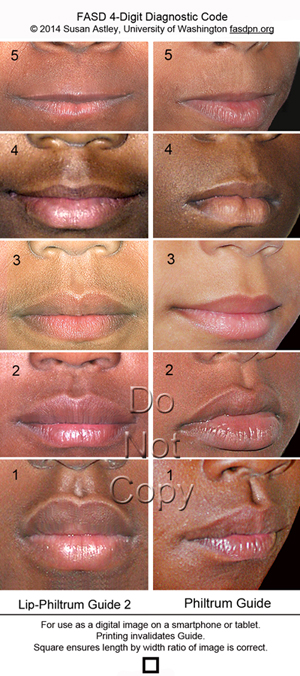
  • Lip-Philtrum Guides
  • Palpebral Fissure Length Ruler
  • FAS Facial Photographic Analysis Software
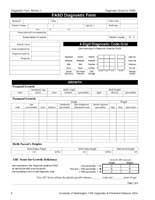
  • 4-Digit Diagnostic Forms
  • 4-Digit Access Database
  • FAS-Tutor™ CD-ROM
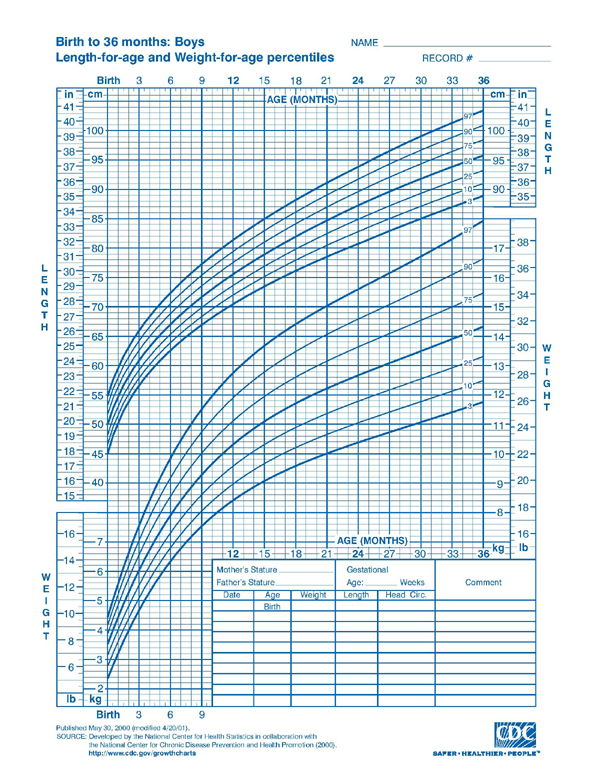
  • Growth Charts
  • Palpebral Fissure Length z-score Calculator


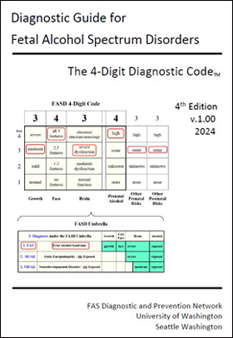
Diagnostic Guide for Fetal Alcohol Spectrum Disorders: The 4-Digit Diagnostic Code (2004)
A comprehensive, reproducible, evidence-based method for diagnosing the full spectrum of outcomes observed in individuals of all ages with prenatal alcohol exposure.
 

Lip-Philtrum Guides (2004)
5-point, pictorial rulers used by the 4-Digit Code to accurately measure philtrum smoothness and upper lip thinness.
Guide 1 (Caucasian)
Guide 2 (African American)

Guide 1 available in
English and Russian translation


Palpebral Fissure Length Ruler
15 cm clear plastic ruler for measuring palpebral fissure length. Use of a handheld rule rarely results in accurate measures. More accurate measures of PFL can be obtained using the FAS Facial Photographic Analysis Software. If a ruler is used, video animations are provided on the FAS Tutor Software demonstrating how to accurately measure PFL with a ruler. Click here to see a video demonstrating the importance of having the eye fully open when measuring it's length.


FAS Facial Photographic Analysis Software
(2003)

This software allows one to measure the full
continuum of expression of the FAS facial
features from digital facial photographs.
 

FAS Tutor™ CD-ROM (1999)
A CD created by the FAS DPN to instruct medical professionals (through video, animation and photographs) on how to measure key FASD features using the 4-Digit Diagnostic Code.


Diagnostic Forms (2004)
PDF versions of the "FASD Diagnostic Form" and "New Patient Information Form"
used by the 4-Digit Code are available free of charge.


4-Digit Code Microsoft Access Database Template (2004)
This database will store data collected with the FASD Diagnostic Form and the New Patient Information Form available above. It will also store all data generated from the FAS Facial Photographic Analysis Software Outcome Report. The database is designed to print a Diagnostic Outcomes-Patient Profile Summary Report of all patients receiving a 4-Digit Diagnostic Code in your clinic.

This blank database is available free of charge for you to download and use. You are welcome to make alterations to it to customize it to your clinic's needs. To download, click on "4-Digit Code Microsoft Access Database Template" link above. Then select "save" to save it to your computer hard drive. You will receive a zipped version of the database that will require unzipping once it is on your computer hard drive. This database is intended as a template for use by proficient Microsoft Access 2000 (and higher) users. A brief instruction form is provided in the database. There is no technical
support available for this database.


Growth Charts

Click here for CDC Growth Charts , for free Epi Info software from CDC that calculates growth percentiles electronically, for Parent Specific Adjustments for Evaluation of Length and Stature, or for a link to growth charts from around the world.


Palpebral Fissure Length Z-score Calculator
for Canadian and Hall PFL Growth Charts


Click here to access the calculator

See (Astley SJ, 2011) and (Clarren et al, 2010) for more details.


Can the FAS Facial Photographic Analysis Software still be used to measure PFLs?


***YES***


The Canadian PFL Charts were generated using the
FAS Facial Photographic Analysis Software.


The software measures the PFL in two steps:

  1. First, the software measures the length of the palpebral fissure in milimeters. This function remains unchanged.

  2. Once the PFL is measured, the software will ask the User to select which PFL Normal Growth Chart they want to use to compute the PFL z-score. The z-score reflects how many standard deviations above or below the mean the patient's PFL is.

    The current software provides the User with a choice of two PFL Charts:

    1) The Hall (1989) Caucasian PFL Chart (reproduced in the 4-Digit Guide), or

    2) The Iosub African American PFL Chart.


    If the User would like to use the Canadian PFL Charts, use the PFL z-score calculator above. The Canadian PFL Charts will be added as a third choice of PFL growth chart in the next version of the Facial Software.