Getting Started
|
Desktop Units |
|||||||||||||||||
|
Desktop units often resemble a standard computer workstation with a camera on top of the monitor. This is a minimum system and can work well but much can be done to improve the communication effectiveness of such a system.
Another improvement that is often made is the addition of high quality echo cancellation microphone placed directly on the desktop. An alternative that gives very good audio is the use of a headphone speaker and microphone, although it may cause a visual problem depending on the type of health related communication occurring.
The next problem with most desktop units is that the camera is on top of the monitor and the user normally is looking well below the camera at the image of the person on the other end.A slight improvement can be made by moving the window containing the picture you are viewing up near the top of the monitor, but the best solution is to use and alternate camera source that is small and sets directly in the line of view between the speaker and monitor.
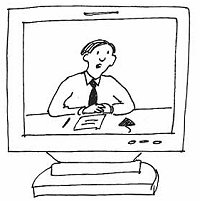
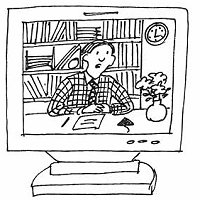
When using a desktop unit it is often very important to limit the amount of information in the form of video data being sent to the other end. Minimizing the background and the amount of movement in the picture can often do this. Use a "close up" picture when possible; try to sitting very still and wearing solid color clothing will also reduce the data being transferred. A background that is solid such as a plain wall or curtain will reduce the amount of noise being transmitted and will often reduce the jerky nature of the picture considerably at the far end.
|
||||||||||||||||||
|
Introduction | Types of Videoconferencing | Technical Background | Getting Started | Examples | Resources | Home
|
||||||||||||||||||
| © 2001 University of Washington. All Rights Reserved. | ||||||||||||||||||